



Save Time on Resizing
Spend less time repeatedly adjusting video frames for different formats and more time preparing your content.
Resize MP4 videos in a few steps with WayinVideo. Use AI-assisted reframing to follow moving subjects, reduce manual adjustments, and help keep important content in view.
Trusted by professionals at












Paste a supported video link, or upload an MP4 file on a plan that includes local uploads.
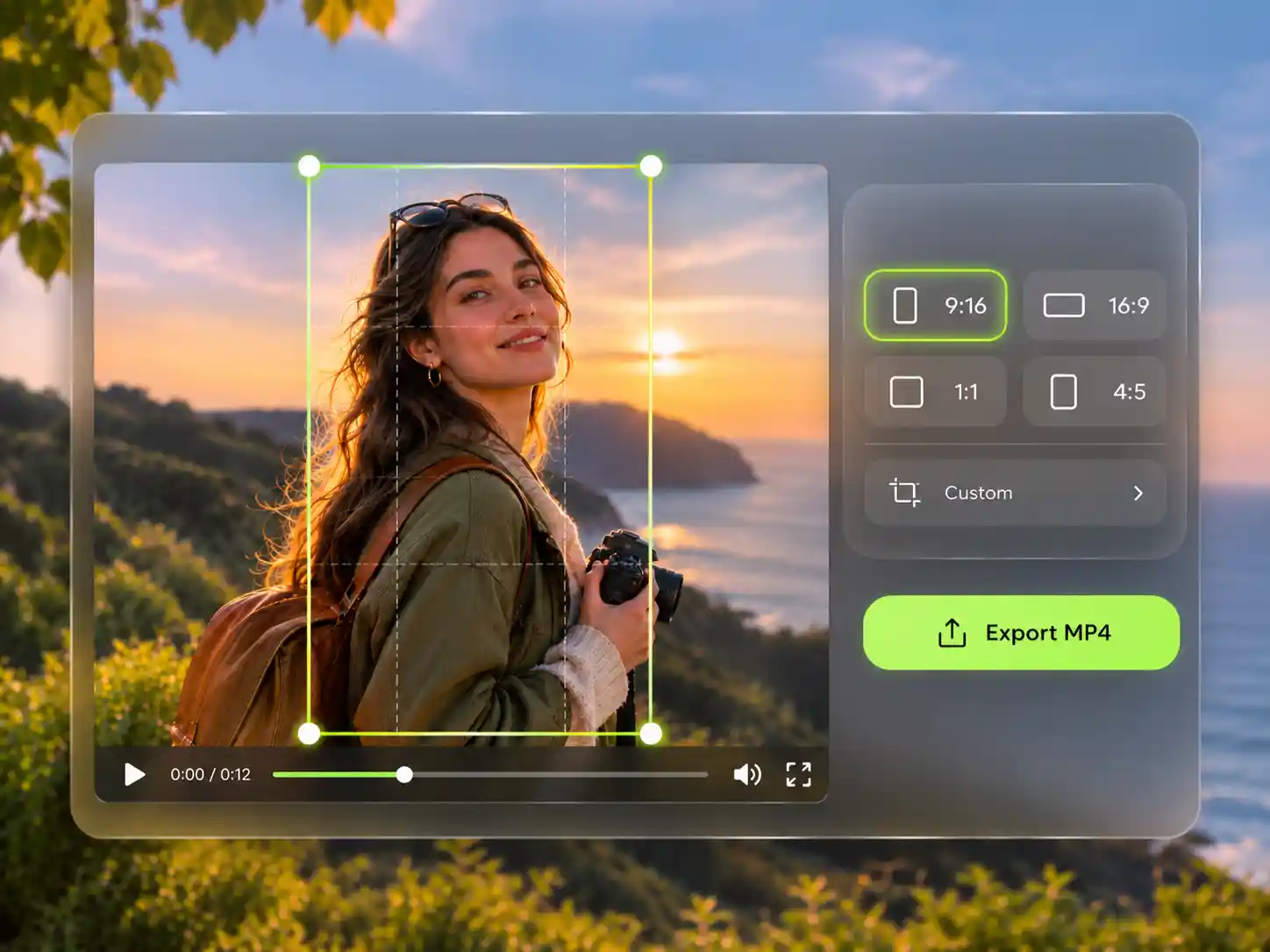
WayinVideo's online MP4 resizer provides a browser-based workspace for resizing and reframing videos without installing desktop software. Video import, framing controls, and export are available in one place, making it easier to resize MP4 videos for different needs.
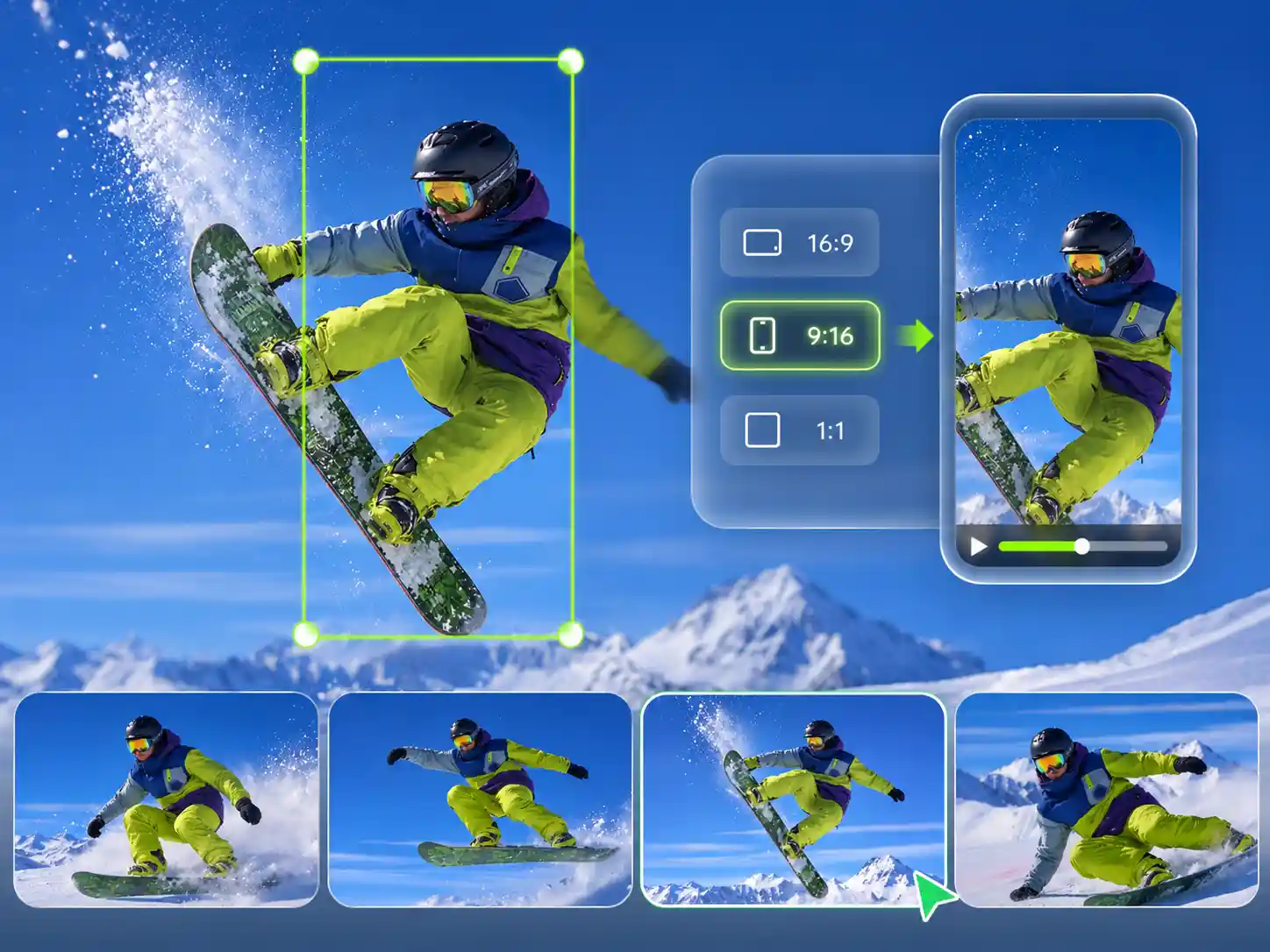
WayinVideo uses AI to identify and track prominent subjects in your MP4 video. When you change the aspect ratio, AI-assisted reframing helps keep moving subjects visible and reduces the need for repeated manual adjustments. Preview the result to check how your video has been reframed.
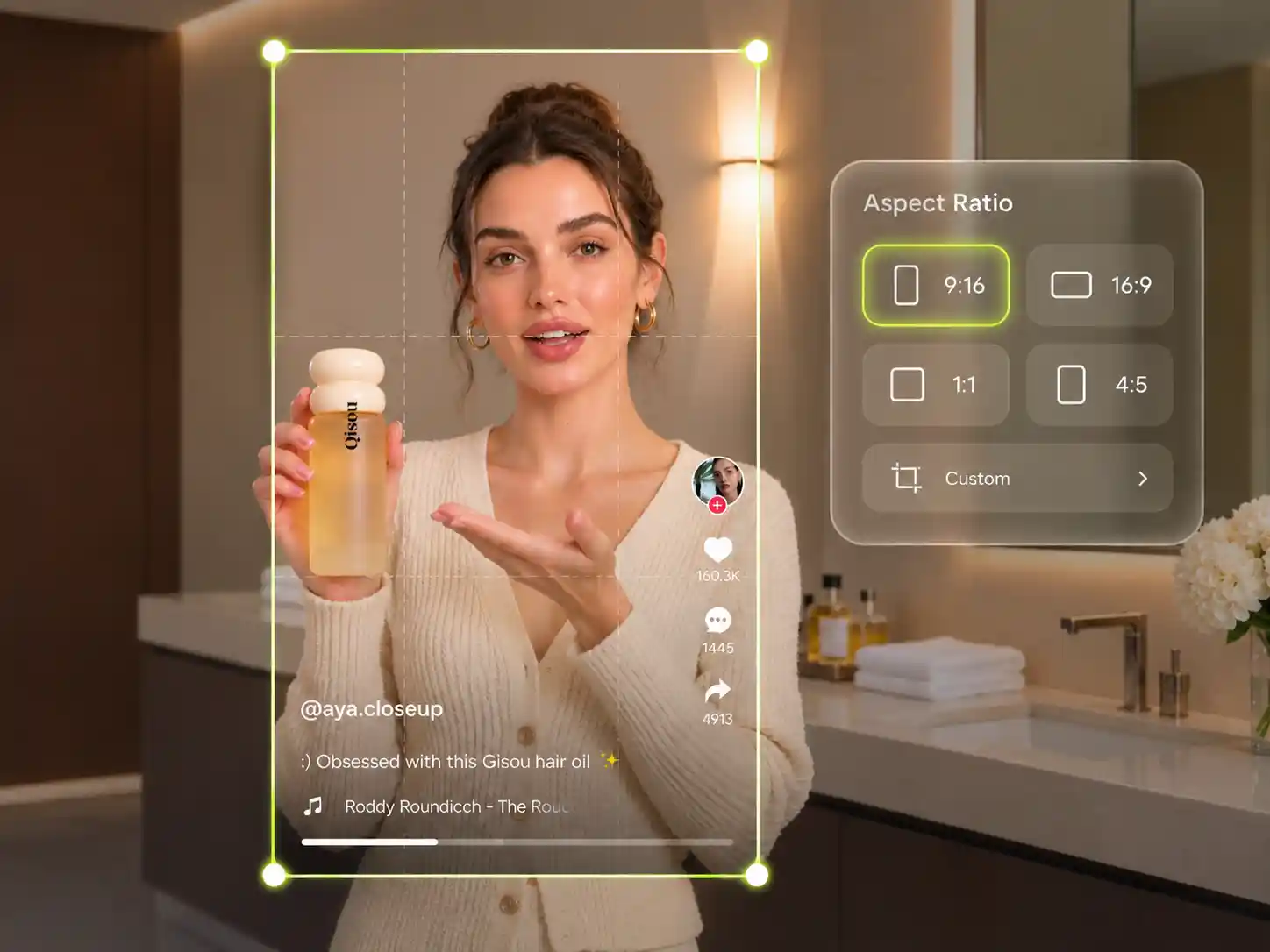
The MP4 video resizer supports common aspect ratios, including 9:16, 16:9, 1:1, and 4:5, along with custom ratios. These options support vertical, horizontal, and square video formats for different viewing and publishing needs.
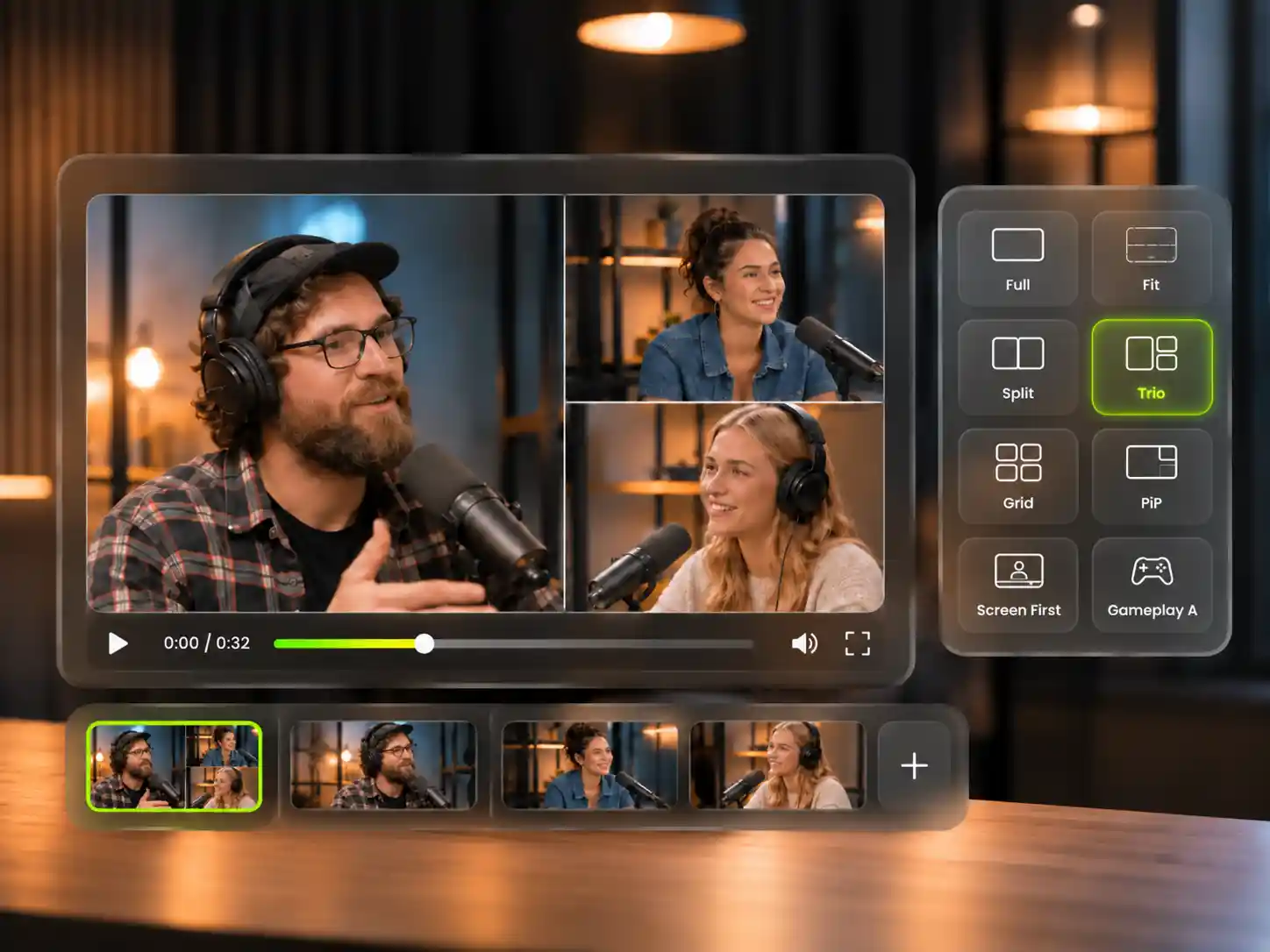
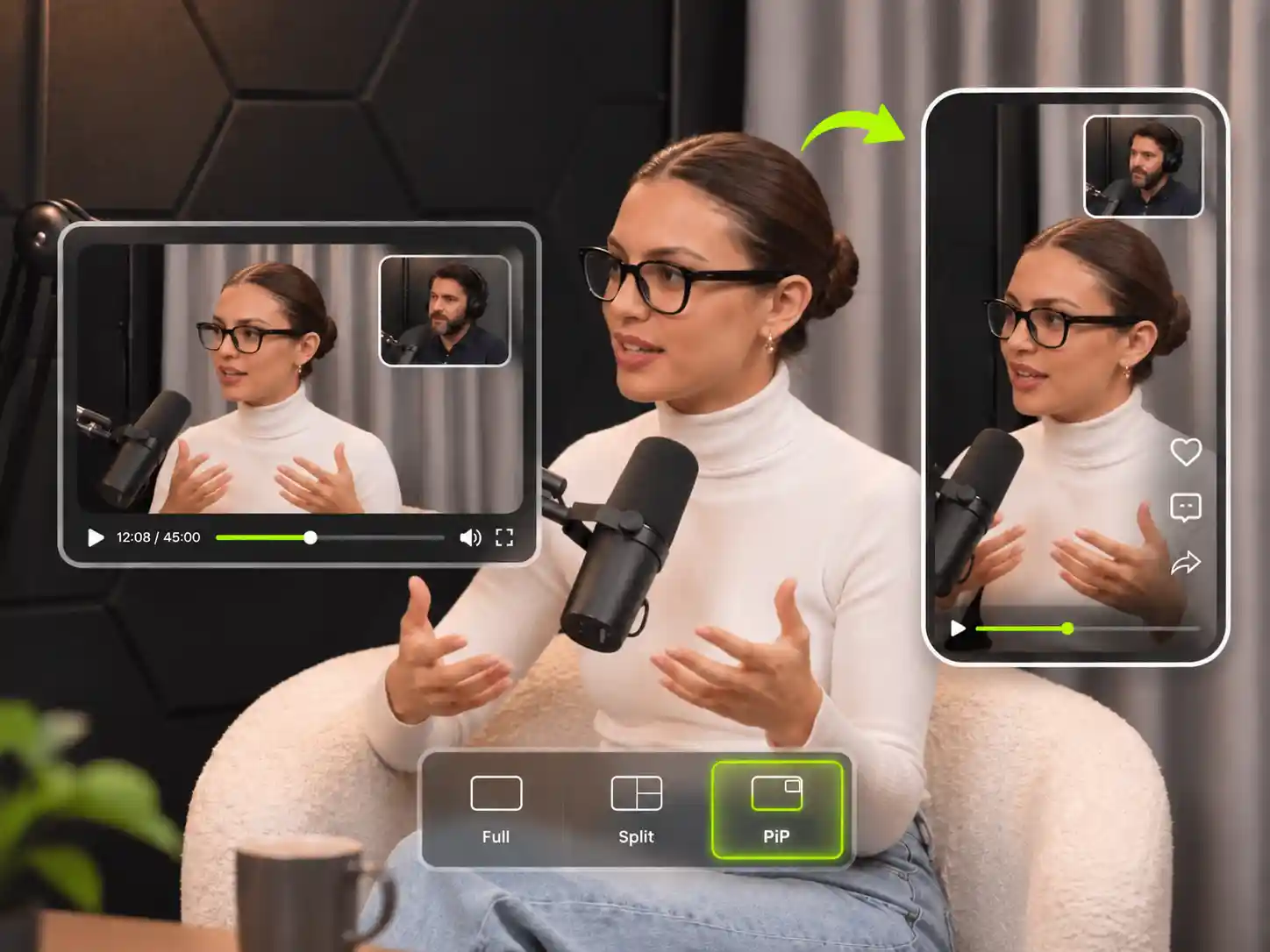
WayinVideo supports Full, Fit, Split, Trio, Grid, and Picture-in-Picture layouts for different video compositions. The preview shows how subjects, text, and other visual elements appear in the resized MP4, helping users check the framing before exporting.
Resize existing MP4 footage for social clips, interviews, tutorials, and marketing content with aspect ratios and layouts suited to each use.
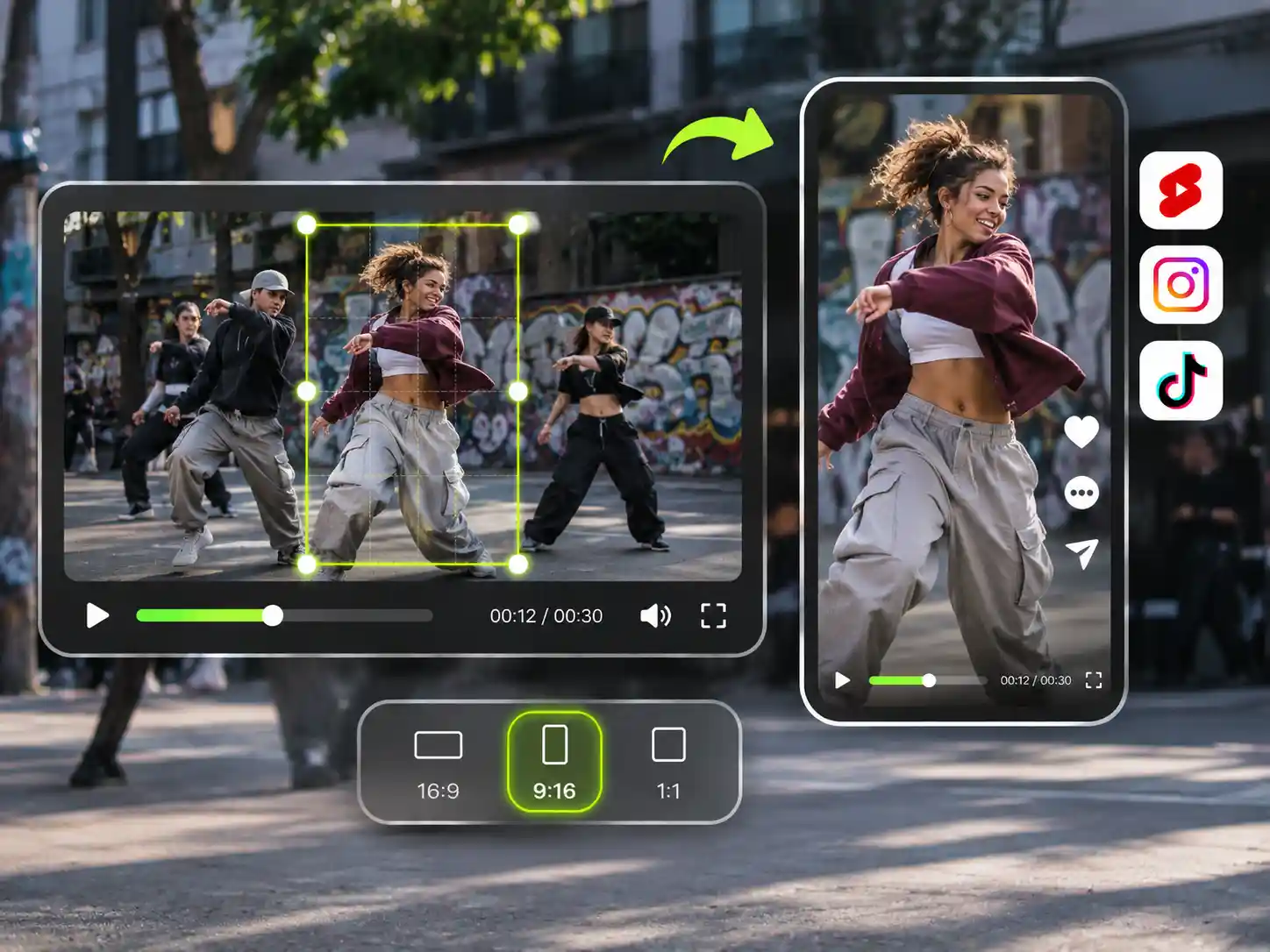
Resize MP4 videos from landscape to vertical formats for Shorts and Reels. Use AI-assisted reframing to keep moving subjects in view and reduce manual adjustments. For Instagram-specific formats, the Instagram Video Resizer helps prepare videos for Reels, Stories, and Feed posts.
Resize Social VideosSpend less time repeatedly adjusting video frames for different formats and more time preparing your content.
Help important people and moving subjects stay visible as you adapt footage to a new aspect ratio.
Create different video formats from footage you already have instead of recording separate versions for each use.
Combine AI-assisted resizing with your own aspect ratio and layout choices to get framing that fits your content.
Use the same resizing workflow for social videos, interviews, tutorials, and promotional content.
Import, resize, preview, and export your MP4 in one place without switching between multiple editing tools.
Give your existing MP4 footage a new format without recording it again. Prepare videos for Shorts, interviews, tutorials, and marketing projects with framing that fits each use.
No credit card required.


