Key Takeaways:
- Best free Veed alternative — no watermark, no credit card, 200 free credits: Completely eliminates Veed’s watermark frustration with clean, high-quality exports. Sign up and get 200 free credits instantly, no billing info required.
- Long-video powerhouse — handles 10-hour VODs without crashing, with AI highlight detection: Solves the notorious Veed crash issue on longer files. Supports videos up to 10 hours with AI viral-potential scoring and 99% accurate subtitles.
- Unbeatable value — 75% cheaper, one-click short-form content creation: At just $4.99/month, it costs over 75% less than Veed. With built-in face-tracking and auto-reframe to 9:16, it’s the most cost-effective AI tool for TikTok, Reels, and Shorts.
Why Are So Many Creators Looking for a Veed Alternative in 2026?
If you’ve ever spent hours editing in Veed, only to hit a paywall watermark the moment you try to export — or watched your browser freeze while cutting a 30-minute video — you’re not alone. This in-depth review explains why WayinVideo has earned the title of “best value veed alternative” in 2026, and exactly how it fixes every technical pain point that Veed leaves behind.
Pain Point #1: Veed’s Free Plan Slaps a Watermark on Your Videos
Let’s be honest: Veed’s free tier isn’t really free. Spend hours fine-tuning your captions, click export, and you’re greeted with a mandatory upsell — pay $9/month for the Lite plan or ship your video with a giant Veed watermark plastered across it.
That’s not a free plan. That’s a demo. Veed caps the free tier at 720p and adds the watermark specifically to push you toward paid tiers, making it nearly unusable for any content you’d actually want to post publicly.
WayinVideo: A True Veed Alternative Free of Watermarks
WayinVideo takes a creator-first approach that’s fundamentally different:
- Watermark-free on every plan — even the free tier exports cleanly and professionally. Your personal brand should be the star, not the tool’s logo.
- 99% accurate AI subtitles — supports 100+ languages with automatic transcription and trendy animated caption templates inspired by creators like Alex Hormozi.
- Start immediately, no strings attached — register and receive 200 free credits with full access to 1080p and 4K export quality, no credit card needed.
If you’ve been searching for a veed alternative without watermark, WayinVideo is the most straightforward answer in 2026.
Pain Point #2: Veed Crashes and Freezes on Long Videos
Anyone searching for a “long-video AI editing tool that doesn’t crash” is usually a professional YouTuber, streamer, or online course creator — someone who regularly works with files bigger than 10 minutes.
Why does Veed lag? It runs on a traditional browser-based architecture that relies on your local RAM. When you’re editing a 1-hour interview or an 8-hour gaming VOD, the browser quickly runs out of memory. The preview becomes a slideshow, and right before the render completes? Crash. All your work, gone.
WayinVideo’s Cloud-Powered Solution for Long-Form Creators
WayinVideo was built from the ground up for heavy, long-duration workloads:
- Async processing with resume capability — once you upload a file, the AI engine runs in the background in parallel. Unlike Veed, you don’t have to babysit a progress bar. For large VOD files, the transfer protocol is stable enough to survive network hiccups without forcing you to restart from zero.
- AI Viral Potential Scoring — arguably the most powerful feature for YouTube creators. The system automatically identifies the “highlight moments” in any long video, scores them by hook strength and pacing, and can break a single long video into 30+ short clips — all without stuttering.
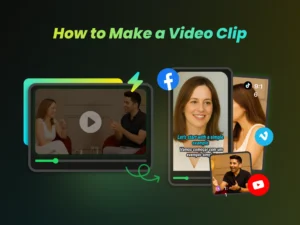
- Smart Auto-Reframe — AI precisely tracks faces and converts horizontal 16:9 footage to vertical 9:16 automatically. No manual cropping. Tested across thousands of stress scenarios for stability.

WayinVideo’s tracking technology keeps your subject perfectly centered at all times — with a clean, watermark-free frame.
2026 Video Tool Feature Comparison: Who Wins on Value?
| Feature Category | Veed.io | WayinVideo | User Value |
| Free Plan Watermark | ❌ Yes (affects professionalism) | ✅ Completely watermark-free | Full brand control |
| Long Video Stability | ⚠️ Prone to lag or crashes | 🚀 Highly stable (supports 8h+) | Save 15+ hours/week |
| Starting Price | 💸 $24.00 | 💰 $4.99 | 75% cost savings |
| Caption Accuracy | ⚖️ ~85% | 🎯 99% (AI model) | Less manual correction |
| Maximum Video Quality | 🥈 1080p (Lite plan) | 🥇 4K (Standard plan) | Premium visual quality |
When you stack WayinVideo against Veed head-to-head, the gap is clear — especially for creators processing live streams or long-form content. WayinVideo holds a decisive advantage in both stability and price. Features like watermark-free export and an accessible subscription model directly address the chronic weaknesses that have frustrated Veed users for years.
Step-by-Step: How to Claim Your 200 Free Credits for AI Editing
Here’s how to get started with WayinVideo — the best free online video editor alternative to Veed — at zero cost:
Step 1: Go to WayinVideo AI Clip Maker and paste a YouTube URL or upload your long video directly.

Step 2: Register to unlock 200 free credits (no credit card required). That’s enough to produce 100+ high-quality short clips.

Step 3: Enable Auto-Reframe for 9:16 vertical output and watch the AI lock onto your subject — even at high speed, it never drifts.

Step 4: Click Export and download a clean, high-quality, watermark-free video ready to publish on Reels, Shorts, or TikTok.

Final Verdict
For creators who demand speed, accuracy, and value, legacy tools with steep subscription fees and technical limitations simply can’t keep up with 2026’s content pace.
WayinVideo isn’t just cheaper (at $4.99/month, it costs less than a latte) — it’s technically superior where it matters most. No crashes, no watermarks, and genuine long-video performance make it the best veed alternative for high-frequency creators.
This tool is especially built for:
- YouTubers who want to repurpose long videos into Shorts without watermarks ruining the look
- Educators and marketers who need accurate subtitles and reliable clip extraction from 30+ minute recordings
- Budget-conscious professionals who want enterprise-level performance without enterprise-level pricing
Stop letting watermarks and crashes slow down your growth. Head to WayinVideo, claim your 200 free credits (no credit card required), and experience what efficient AI-powered editing actually feels like.
FAQ
Q1: Is WayinVideo really the best Veed alternative in 2026?
A: If you’re looking for watermark-free export, stable long-video processing, and AI-automated short clip creation, WayinVideo is one of the highest-value veed.io alternatives available in 2026. It solves the free-tier watermark problem, handles long-form VODs without crashing, and includes AI viral scoring and auto-reframe out of the box.
Q2: Does WayinVideo’s free plan really have no watermark?
A: Yes. All plans — including the free trial — export without a watermark. Sign up, claim 200 free credits without entering a credit card, and immediately export clean 1080p footage ready for Shorts, Reels, and TikTok.
Q3: How long a video can WayinVideo handle? Will it crash on 1-hour files?
A: WayinVideo uses a cloud AI architecture and supports videos up to 10+ hours, including full streaming VODs. Because processing happens server-side rather than in your browser, it doesn’t drain local RAM — and it doesn’t crash.
Q4: Who is WayinVideo best suited for?
A: It’s an ideal veed alternative for subtitles, batch clip creation, and long-form repurposing. Specifically: YouTubers converting long videos to Shorts, podcast hosts extracting 20+ highlight clips from a 2-hour session, course creators and marketers needing accurate captions at scale, and e-commerce brands producing high-converting short-form video ads.